> ## Documentation Index
> Fetch the complete documentation index at: https://docs.hasdata.com/llms.txt
> Use this file to discover all available pages before exploring further.
# Code
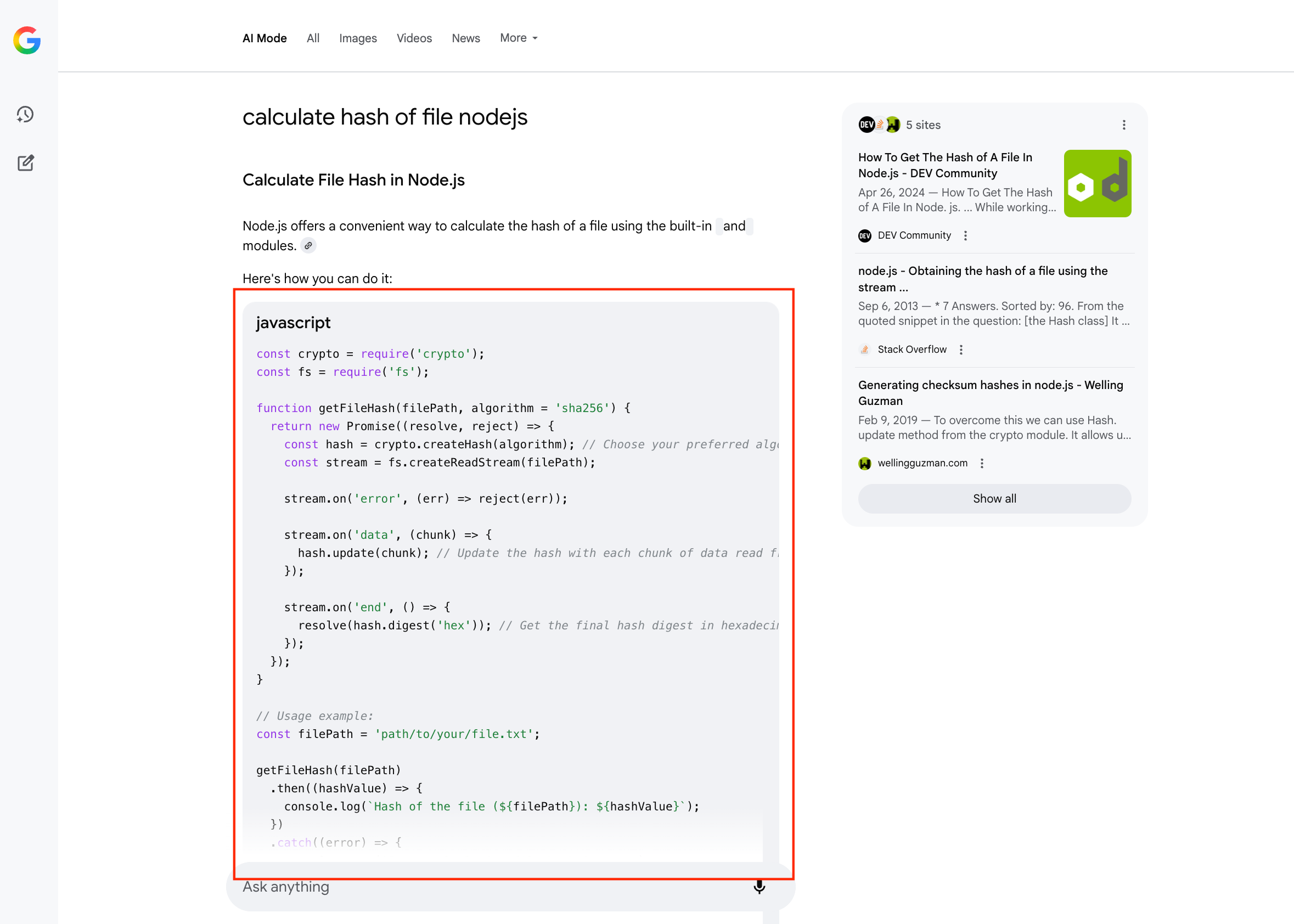 ```json Response theme={null}
{
"textBlocks":[
{
"type":"code",
"language":"javascript",
"snippet":"const fs = require('fs'); // Import the file system module\nconst crypto = require('crypto'); // Import the crypto module\n\nconst filePath = '/path/to/your/file.txt'; // Replace with the actual file path\nconst algorithm = 'sha256'; // Choose your desired hashing algorithm (e.g., 'sha1', 'md5', 'sha256')\n\nconst hash = crypto.createHash(algorithm); // Create a hash object with the specified algorithm\n\nconst stream = fs.createReadStream(filePath); // Create a read stream from the file\n\nstream.on('error', (err) => { // Handle potential errors during file reading\n console.error('Error reading the file:', err);\n});\n\nstream.on('data', (chunk) => { // When data chunks are received from the stream\n hash.update(chunk); // Update the hash with the data chunk\n});\n\nstream.on('end', () => { // When the stream finishes reading the file\n const fileHash = hash.digest('hex'); // Calculate the final hash and get it in hexadecimal format\n console.log(`The ${algorithm} hash of the file is: ${fileHash}`);\n});\n\n"
}
]
}
```
```json Response theme={null}
{
"textBlocks":[
{
"type":"code",
"language":"javascript",
"snippet":"const fs = require('fs'); // Import the file system module\nconst crypto = require('crypto'); // Import the crypto module\n\nconst filePath = '/path/to/your/file.txt'; // Replace with the actual file path\nconst algorithm = 'sha256'; // Choose your desired hashing algorithm (e.g., 'sha1', 'md5', 'sha256')\n\nconst hash = crypto.createHash(algorithm); // Create a hash object with the specified algorithm\n\nconst stream = fs.createReadStream(filePath); // Create a read stream from the file\n\nstream.on('error', (err) => { // Handle potential errors during file reading\n console.error('Error reading the file:', err);\n});\n\nstream.on('data', (chunk) => { // When data chunks are received from the stream\n hash.update(chunk); // Update the hash with the data chunk\n});\n\nstream.on('end', () => { // When the stream finishes reading the file\n const fileHash = hash.digest('hex'); // Calculate the final hash and get it in hexadecimal format\n console.log(`The ${algorithm} hash of the file is: ${fileHash}`);\n});\n\n"
}
]
}
```